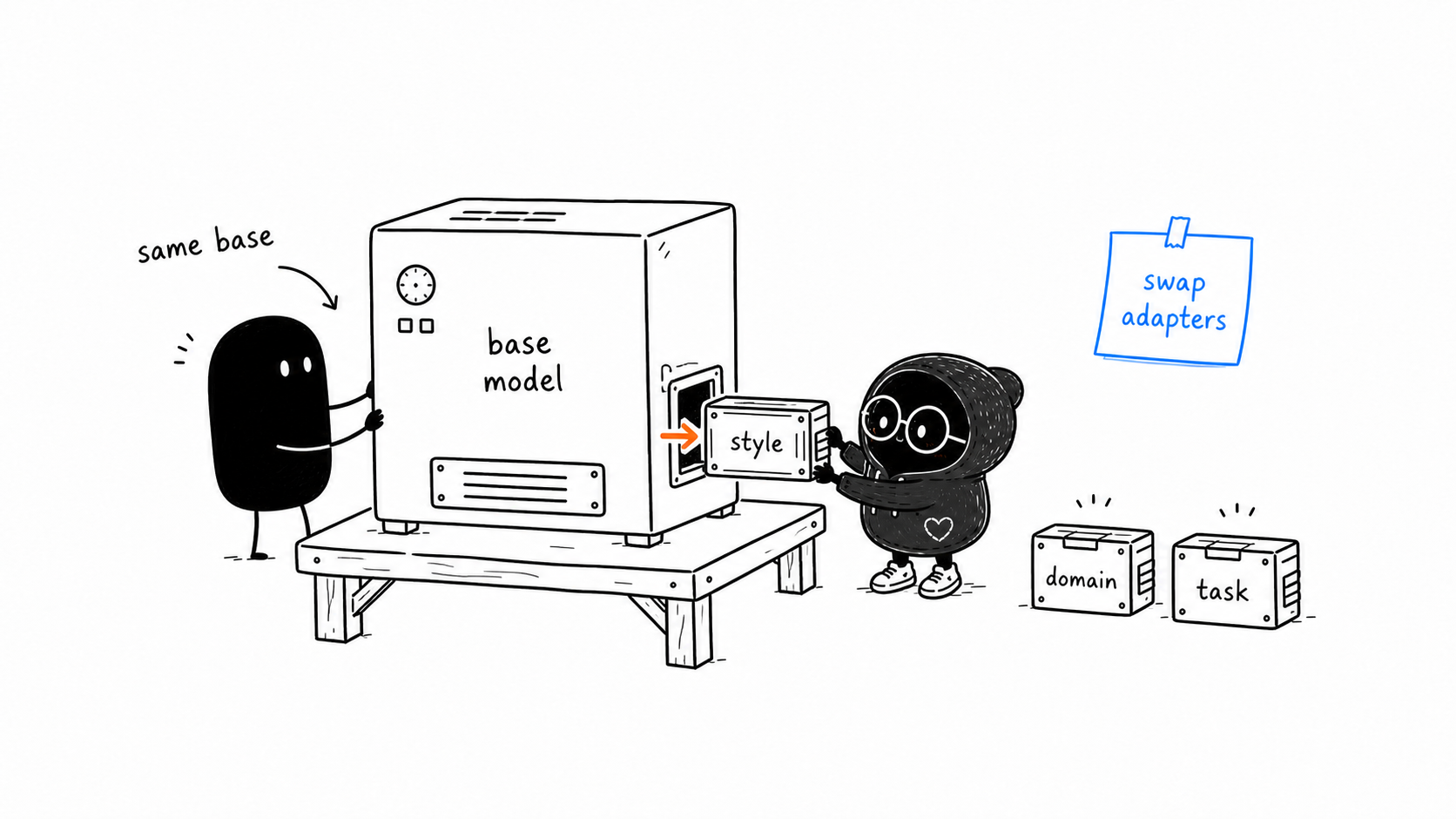
In practice, LoRA is powerful because adapters are small, portable, and swappable.
You can think of the base model as the stable engine and each LoRA adapter as a skill cartridge.
Same base. Different adapter. Different behavior.
Link to What You Actually SaveWhat You Actually Save
After LoRA training, you usually save only the adapter weights, not a full copy of the base model.
That means your saved artifact can be much smaller than a fully fine-tuned model.
A practical setup often looks like this:
base model checkpoint
adapter checkpoint
tokenizer/config files
At inference time, you load the base model and attach the adapter.
Link to Loading An AdapterLoading An Adapter
Conceptually:
model = load_base_model()
model = attach_lora_adapter(model, adapter_path)
The exact code depends on the framework, but the idea is consistent:
- Load the base model.
- Load the adapter.
- Run inference with both.
The adapter modifies selected layer computations while the model runs.
Link to Swapping AdaptersSwapping Adapters
One base model can have multiple LoRA adapters.
For example:
- one adapter for legal summaries
- one adapter for customer-support tone
- one adapter for SQL generation
- one adapter for a writing style
This is useful because you do not need a full model copy for each behavior.
However, adapters are not always plug-and-play across unrelated base models. A LoRA adapter is trained for a specific base model architecture and usually a specific base model checkpoint.
If the base changes, the adapter may not fit or may behave badly.
Link to Merging An AdapterMerging An Adapter
Sometimes you can merge a LoRA adapter into the base model weights.
Merging means you fold the adapter update into the model:
merged W = base W + LoRA updateWhy merge?
- simpler deployment
- no separate adapter loading step
- sometimes faster inference
Why not merge?
- you lose easy adapter swapping
- the merged model is a larger artifact than the adapter alone
- you may want to keep the base clean
So merging is a deployment choice, not a requirement.
Link to Choosing Target ModulesChoosing Target Modules
LoRA is usually attached to selected layers, not randomly sprinkled everywhere.
In transformer language models, common targets are linear projection layers in attention or MLP blocks. For example, you may see names like:
q_proj
v_proj
k_proj
o_proj
up_proj
down_proj
gate_proj
The exact names depend on the architecture.
The intuition:
Target modules decide where the adapter is allowed to influence the model.
More target modules can increase capacity, but also increase training cost.
Link to Attention-Only Is Not Always EnoughAttention-Only Is Not Always Enough
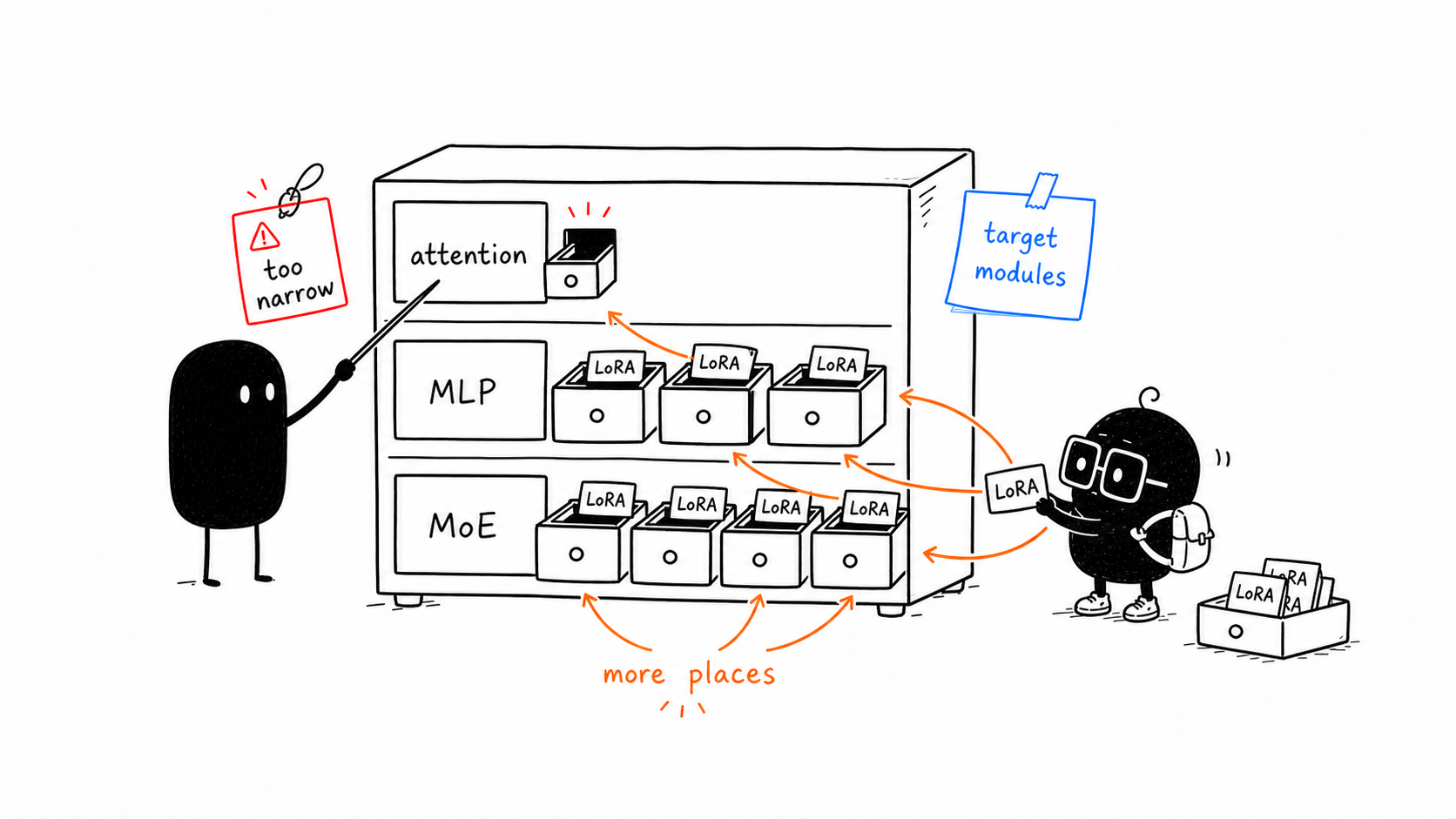
Early LoRA examples often focused on attention matrices.
Thinking Machines' docs and experiments argue for a broader lesson:
LoRA often performs better when applied to all weight matrices, especially MLP and MoE layers, not attention-only.
This is a useful correction because many beginners assume "LoRA goes on attention" as if that is the whole technique.
Better mental model:
target modules decide where adaptation is allowed to happenIf you only adapt attention layers, the model may not have enough useful places to store the behavior change. If you adapt MLP layers too, the adapter can influence more of the model's computation.
This does not mean every project should blindly target everything. It means target-module choice is a real experimental knob, not a footnote.
So if a LoRA run feels weak, there are at least three questions before giving up:
- Did we choose enough useful target modules?
- Is the rank high enough for the job?
- Are learning rate and batch size tuned for LoRA?
Link to Choosing RankChoosing Rank
Rank r is one of the first settings people tune.
Low rank:
- smaller adapter
- cheaper training
- lower capacity
Higher rank:
- larger adapter
- more capacity
- more memory and compute
There is no universal best rank. The right value depends on task complexity, dataset size, model size, and quality target.
For a first mental model:
simple style/task shift -> smaller rank may work
complex domain/task shift -> larger rank may help
Link to Terms To LearnTerms To Learn
-
Adapter checkpoint: The saved LoRA weights.
-
Merge: Folding the adapter update into the base weights.
-
Inference: Running the model to generate outputs, not training it.
-
Target modules: The layer names where LoRA is inserted.
-
Checkpoint compatibility: Whether an adapter matches the base model it was trained for.
-
MLP layers: Feed-forward network layers inside transformer blocks. These often store important transformations beyond attention.
-
MoE layers: Mixture-of-Experts layers, where only some expert subnetworks activate for each token.
Link to Check YourselfCheck Yourself
Try explaining:
- Why can LoRA make many task variants cheaper to store?
- What is the difference between loading and merging an adapter?
- Why might an adapter trained on one base model not work on another?
- What does rank affect in practice?
- Why might attention-only LoRA be weaker than LoRA on MLP or all layers?
Link to Chapter SummaryChapter Summary
LoRA adapters are small trained weight files that can be loaded onto a compatible base model. You can swap adapters for different behaviors, merge them for deployment, and tune settings like target modules and rank based on the job. Target modules matter: attention-only LoRA is not always enough.